SAG Integration
This is a technical guide for integrating the SAG access control system with LIKE MAGIC.
Introduction
On this page, you will find an overview of the integration between SAG and our services. We will outline the necessary preconditions and setup requirements, including LockManager version compatibility and SAG Support coordination.
1. Access Method
Our integration with SAG provides PIN code access for guests:
PIN Code Access
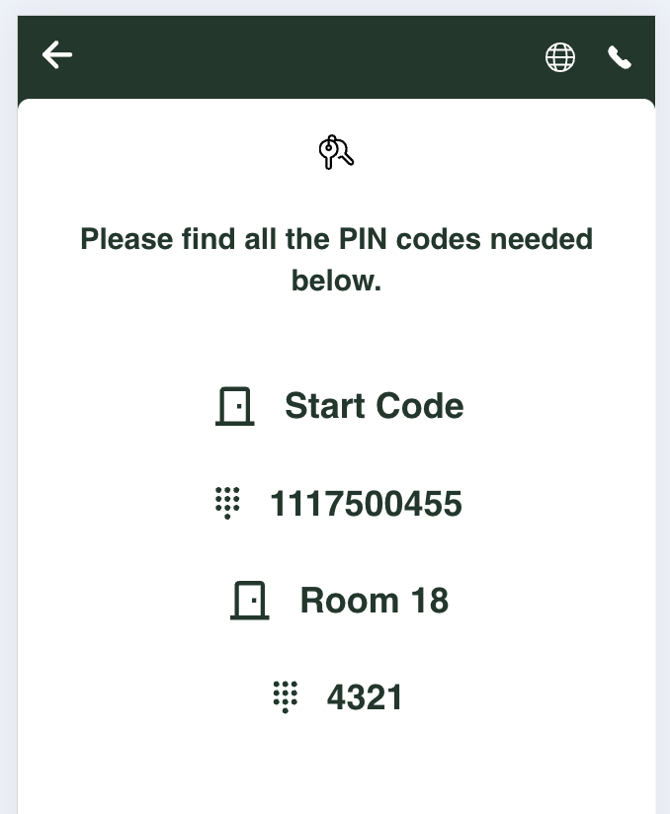
Guests receive PIN codes for door access, a secure and reliable method of entry. Your SAG LockManager generates them and LIKE MAGIC requests them per reservation. Each reservation gets a Start Code plus the code for its room door. The codes are not shown on the guest's keys page, so pass them to the guest through your own guest communication.
2. Preconditions & Setup
To ensure a successful integration, the following preconditions must be met and the setup correctly configured.
LockManager Version Requirements
Critical requirement: Your SAG system must be running the current version of LockManager V7. This is mandatory for compatibility with LIKE MAGIC's integration.
- Required Software: LockManager V7 (current version)
- Compatibility: Older versions of LockManager are not supported and will not work with our integration
3. SAG System Credentials
You can provide the necessary SAG system credentials directly to LIKE MAGIC. Please gather the following information from your SAG LockManager system:
Required Credentials
Submit the following credentials to LIKE MAGIC via a Support Ticket:
- Username: Your SAG system username for API access
- Password: Your SAG system password for API access
- ObjectId: The unique object identifier from your SAG system
- InstallationId: The installation identifier from your SAG system
How to Find These Credentials
These credentials can typically be found in your SAG LockManager V7 system configuration. If you need assistance locating any of these values, please consult your SAG system documentation or contact your local SAG administrator.
4. SAG Support Enablement
Important: While you can provide the credentials directly, the integration will only function after SAG Support enables LIKE MAGIC as an integration partner for your system.
Required Steps
- Contact SAG Support: Reach out to your SAG Support representative and request:
- Enable LIKE MAGIC as an authorized integration partner for your system
- Confirm your LockManager V7 version is compatible with third-party integrations
- SAG Support Configuration: SAG Support will:
- Authorize LIKE MAGIC as an integration partner in your system
- Enable the necessary API access permissions
- Verify system compatibility and readiness
- Provide Credentials to LIKE MAGIC: Once SAG Support confirms enablement:
- Submit your SAG system credentials (username, password, objectId, installationId) to LIKE MAGIC via a Support Ticket
- LIKE MAGIC will test and configure the integration
5. Integration Limitations
Key Card Encoding
Important: The SAG integration does not support encoding of key cards. If your property needs encoded key cards, raise it via a Support Ticket.
6. Conclusion
By following the steps outlined in this guide, you have prepared your SAG system for integration with the LIKE MAGIC platform. Guests then receive PIN codes for door access.
Next Steps:
- Verify LockManager V7: Confirm you are running the current version of LockManager V7
- Contact SAG Support: Request integration partner enablement for LIKE MAGIC
- Gather Credentials: Collect your SAG system credentials (username, password, objectId, installationId)
- Coordinate with LIKE MAGIC: Submit the SAG credentials via a Support Ticket after SAG Support confirms enablement
Once SAG Support has enabled the integration and you have shared the necessary credentials with LIKE MAGIC, we will perform the final verification and configuration of the PIN-based guest access.