Salto Space Integration
This is a technical guide for integrating the Salto Space access control system with LIKE MAGIC
Introduction
On this page, you will find an overview of the integration between Salto Space and our services, including the two modes of operation for guest access: Online and Offline. We will outline the necessary preconditions and setup requirements, including the SHIP license and connectivity options. You will also learn about the configuration steps needed within the Salto ProAccess Space software, as well as how to set up door access for guests.
How LIKE MAGIC connects to Salto Space. LIKE MAGIC creates key cards and issues online "hold to unlock" access through the SHIP connection described below, which is how LIKE MAGIC reaches your on-premise ProAccess Space server. Because Space runs on-premise, its behaviour depends on the connectivity option (VPN, firewall whitelisting or internet access) you configure in the next sections.
1. Salto Space Online vs. Salto Space Offline
Our integration with Salto Space offers two distinct modes of operation for guest access:
a) Salto Space Online
With the Online configuration, guests open doors remotely through our web application. They press and hold the Hold to unlock control for the door, and no app is needed on the guest's phone.
b) Salto Space Offline
In the Offline setup, guests will need to download our whitelabeled mobile application. Access to the doors is then granted via a Bluetooth (BLE) connection between the guest's smartphone and the Salto lock.
Both options allow creating a key card through our Operations Platform and/or our Self-Service Kiosk.
2. Preconditions & Setup
To ensure a successful integration, the following preconditions must be met and the setup correctly configured.
a) SHIP License
A crucial requirement for the integration is the SALTO Host Interface Protocol (SHIP) license. SHIP is a proprietary protocol from Salto that enables third-party systems, like likemagic.tech, to communicate with the Salto access control system. This license must be active on your Salto ProAccess Space software. Please coordinate with your Salto Partner to ensure the option is available.
b) Connectivity
The Salto ProAccess Space software is an on-premise solution, meaning it runs on a local machine or server at your property. To enable our cloud-based platform to communicate with your local Salto server, a secure connection must be established. The three options (Site-to-Site VPN, firewall allowlist or internet access) are described in Network Connection for On-Premise Lock Systems. For Salto Space, make sure traffic is allowed on port 8100.
c) MORE_THAN_64K_USERS Parameter
LIKE MAGIC creates a separate user in Salto Space for each reservation. Without the advanced parameter MORE_THAN_64K_USERS, Salto Space can issue at most 65,535 keys; with it, up to 4 million. The parameter must therefore be enabled in your Salto ProAccess Space software:
- Navigate to System > General Options > Advanced.
- Add the parameter
MORE_THAN_64K_USERS, set its value to1and confirm with OK.
If the parameter is missing from the list of available parameters, it is not covered by your Salto license. Please coordinate with your Salto Partner to update the license.
3. SHIP Configuration in ProAccess Space Software
The final step is to configure the SHIP settings within your Salto ProAccess Space software.
The Configuration Steps
- Open the Salto ProAccess Space software.
- Navigate to System > General Options > SHIP
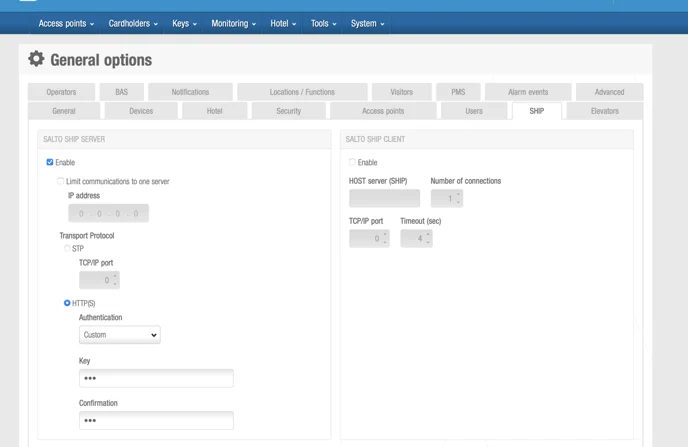
Within the SHIP settings panel, please ensure the following configurations are in place:
- Enable SHIP: Check the box to enable the Salto SHIP server.
- Configure for HTTP(S): Set the transport protocol to use HTTP(S). This enables encrypted communication between our systems.
- Define and Share a Custom Key:
- For secure authentication, a custom key must be defined.
- Set a strong, randomly generated key.
- This key must then be shared with the likemagic.tech team securely. Please use onetimesecret.com to share the key with us.
Once these steps are completed, report them via a Support Ticket so LIKE MAGIC can verify the connection.
4. Share Door Access Setup
After the connection has been established, we need to configure the door setup with LIKE MAGIC.
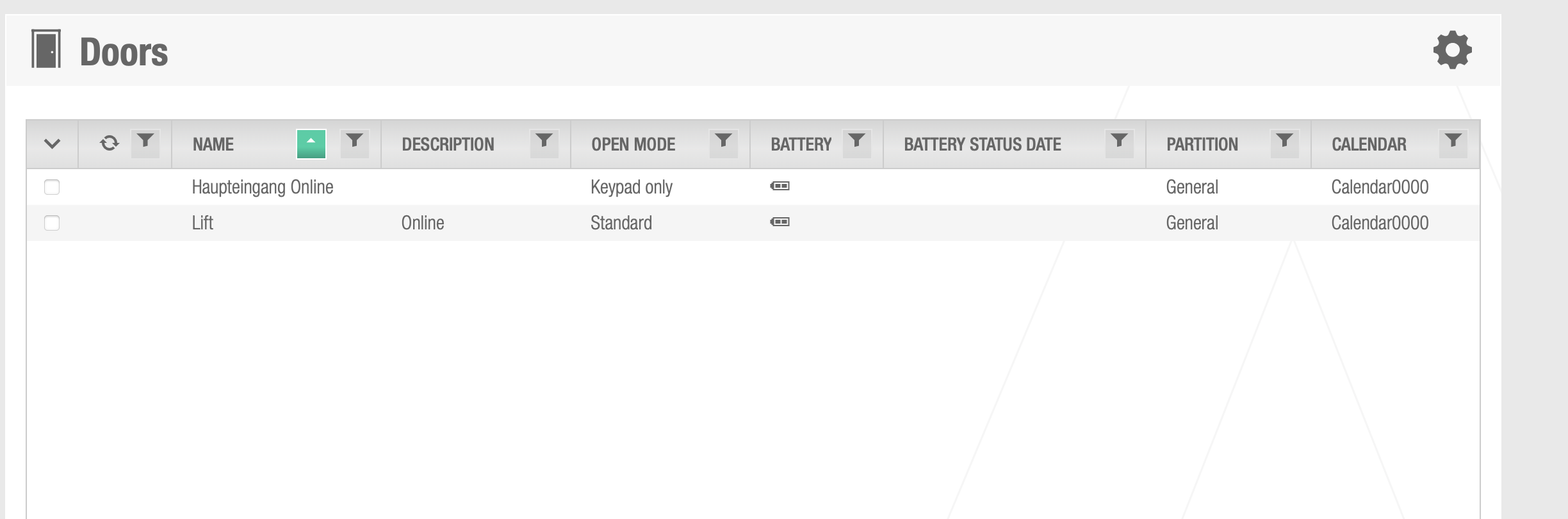
- Public Doors
Please share the doors that should be publicly available for the guests.
The doors are found through Access points > Doors.
Please share which encoders should be connected with the Operations Platform and/or with a Self-Service Kiosk: System > Salto Network.
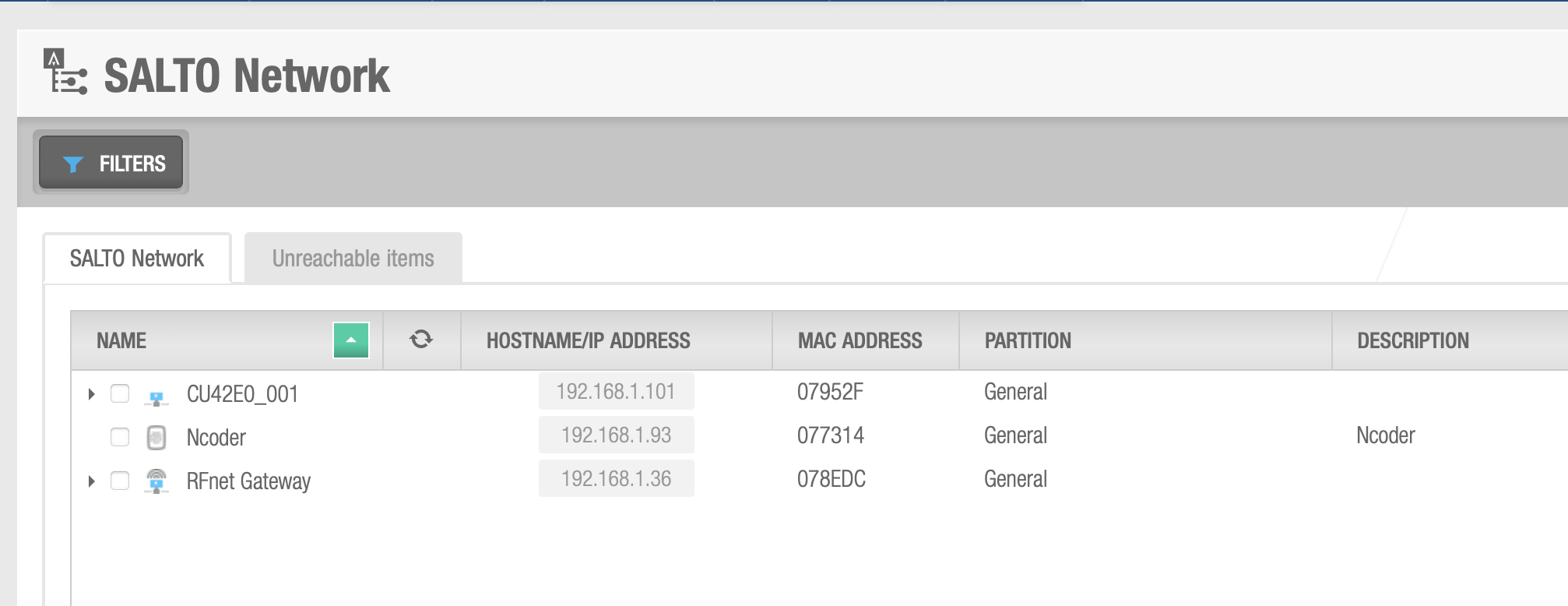
This applies only to key cards.
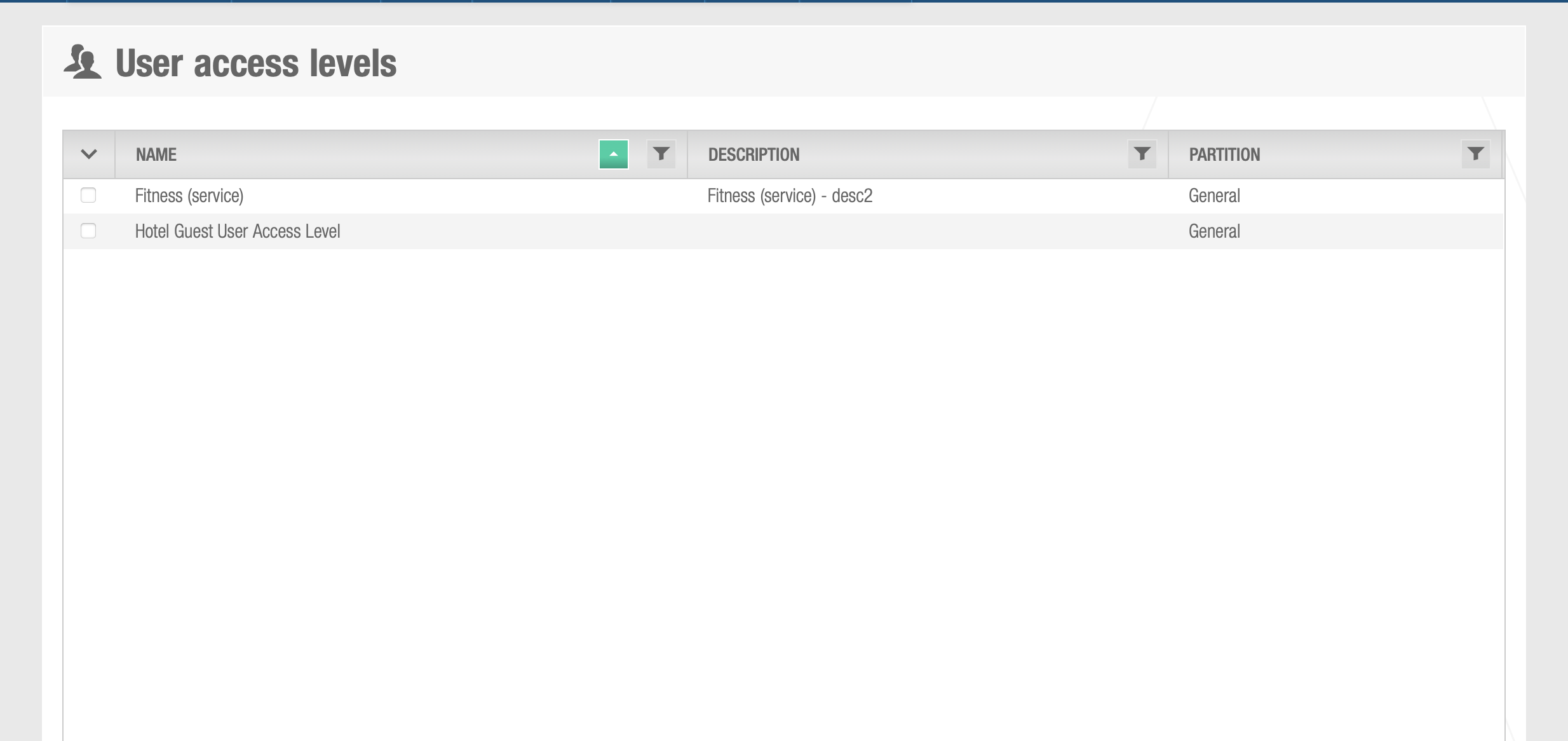
Please share with us any zones a guest should have access to: Cardholders > User access levels.
5. Conclusion
By following the steps outlined in this guide, you have configured your Salto Space system for integration with the LIKE MAGIC platform. Once you have shared all the required details, request the final verification of the connection via a Support Ticket.