Pre-Sync the Room Door Before Check-In
With some door providers, a new access takes several minutes to reach the lock. A guest who has just checked in can then see a PIN that does not open their room door yet. With the room door pre-sync, LIKE MAGIC grants the guest's doors at the lock ahead of time, from the arrival day on, and keeps them hidden from the guest until the usual moment. The lock can then receive the access before the room door appears in the guest's keys.
This article explains what is granted and when, what guests and staff see, and what to weigh before you request the pre-sync for a property.
1. Who Can Use This
- Door providers. The pre-sync is available for properties whose door provider is Glutz, Nuki, Omnitec or RemoteLock.
- Activation. The pre-sync is enabled per property by LIKE MAGIC. There is nothing to configure in the Operations Platform. To have it enabled, or turned off again, request the change via a Support Ticket and name the property.
- Before you request it, read section 4. Pre-synced doors are at the lock before the guest may use them, and whether that is acceptable depends on how your guests receive their PIN.
2. What Is Granted Ahead, and When
The pre-sync starts on the arrival day and applies only to reservations with the status Confirmed or In house. Nothing is granted on the days before arrival.
| Doors | Granted at the lock | Shown to the guest |
|---|---|---|
| Public doors | From the arrival day, with or without an assigned unit | When they would appear without the pre-sync, usually once the guest has completed the Pre-Check-In Flow and your Door Access Times have begun |
| Public (In-House) doors | From the arrival day, with or without an assigned unit | At check-in |
| The room door (Private) | From the arrival day, once a unit is assigned and your PMS reports it as not occupied | At check-in, once the room is clean |
The right column describes the usual setup. The rules of your property for showing doors keep applying, and the pre-sync does not change them.
Granting a door ahead does not change from when the guest's PIN is valid at the lock, and before that time a pre-synced door does not open. The PIN is valid from these times:
- Glutz: as soon as the access has reached the lock.
- Nuki: from the arrival time of the reservation, brought forward by the lead time set up for the property.
- Omnitec: from 08:00 on the arrival day.
- RemoteLock: from the time set as Public Doors Available From on the arrival day.
For the room door, three rules apply:
- An occupied unit is not pre-synced for an arriving guest. As long as your PMS reports the unit as occupied, the room door of a guest who has not checked in yet is not granted ahead. Otherwise the arriving guest could open the room of the guest still staying in it. The room door follows once the PMS reports the unit as free. A room door that is already pre-synced stays at the lock if the PMS later reports the unit as occupied. LIKE MAGIC relies on the occupancy your PMS reports.
- Check-in before the room is clean. If the guest checks in while the room is not clean yet, they see the public and in-house doors as usual. For a guest who is In house, the room door is granted at the lock whatever the occupancy of the unit, while the room is being prepared. It appears in their keys once the room is clean.
- No unit, no head start. The room door can only be granted ahead once a unit is assigned. Where units are assigned only at check-in, the room door gets no head start, apart from the check-in before the room is clean.
The pre-sync runs every hour on the arrival day only, starting shortly after midnight. A unit assigned before the arrival day is picked up by the first of these runs. In addition, the pre-sync runs when a reservation for today is created, when a unit is assigned or changed and when your PMS updates the unit, for example because the previous guest checks out. These additional runs also happen after the arrival day, until the departure, as long as the reservation is Confirmed or In house.
With Mews, a new reservation and a unit assignment or change do not start a run of their own. On the arrival day, the next hourly run picks them up. After the arrival day there is no hourly run.
💡 Recommendation: Assign units as early as you can. The earlier the unit is assigned and free, the more time the lock has before the guest checks in.
3. What Guests and Staff See
a) Guests
A pre-synced door is hidden wherever the guest sees doors: on the keys page of their stay, in the open-door quick action, as a Wallet key, in guest notifications (including the PIN) and in the keys of their travel companions. The guest cannot open a pre-synced door from their stay either.
At the moment the door would appear without the pre-sync (see the table in section 2), it is shown as usual. The access was sent to the lock earlier, so the lock has had time to receive it.
b) Staff in the Operations Platform
The Keys tab of a reservation lists the doors the guest sees. Pre-synced doors are not listed there. A room door can therefore already open with the guest's PIN while the reservation's Keys tab does not show it yet.
c) Later Changes to the Reservation
- Later key updates keep the pre-sync. Scheduled key updates and a check-in to a room that is not clean yet leave the pre-synced doors at the lock. They are not withdrawn and granted again, so the lock does not have to wait for them a second time.
- Unit change. The room door moves to the new unit. If the guest has not checked in yet and the new unit is still occupied, only the room door is withdrawn, and the public and in-house doors stay granted.
- Check-out. Pre-synced doors are withdrawn like any other door.
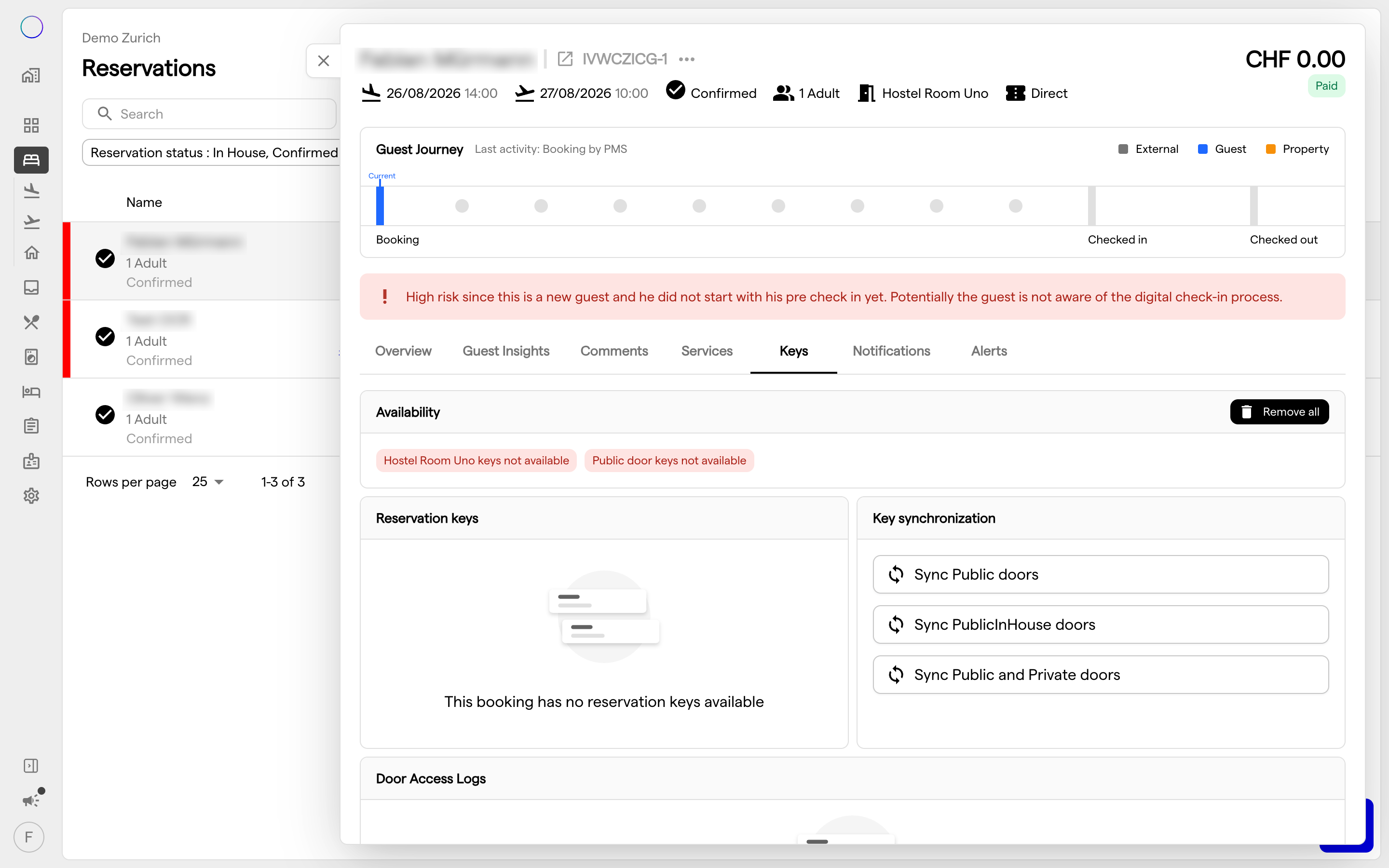
- Removing all doors. The Remove all button on the reservation's Keys tab withdraws the pre-synced doors as well.
d) Turning the Pre-Sync Off
Turning the pre-sync off for a property stops new pre-syncs only. Doors that are already pre-synced stay at the lock until they are shown to the guest as usual, the guest checks out, or a change to an occupied unit withdraws the room door.
To withdraw the pre-synced doors of a reservation earlier, once the pre-sync is turned off:
- Open the reservation and go to the Keys tab.
- Click Remove all. This withdraws every door of the reservation, including the doors the guest already sees.
- Under Key Synchronization, give the guest back the doors they had, usually with Sync Public doors.
Between step 2 and step 3, the guest has no public doors.
4. Before You Request It
a) The Guest's PIN Can Open the Room Before Check-In
This applies where your property uses PIN access. With Glutz, Nuki, Omnitec and RemoteLock, a guest has one PIN for all their doors. Once the room door is pre-synced and the PIN is valid at the lock (see section 2), the PIN the guest already uses for the public doors also opens their room, before check-in and before the room appears in their keys. The guest only needs to know which room it is, for example:
- a returning guest who always gets the same room,
- a message sent before check-in that names the unit. Check your guest notification templates for this.
Your PMS reported the unit as not occupied when the room door was granted, but the room may not be clean yet.
b) Public and In-House Doors Are at the Lock Before the Guest Sees Them
The Public and Public (In-House) doors are granted at the lock from shortly after midnight on the arrival day. That is before the guest has completed the Pre-Check-In Flow and, for the in-house doors, before check-in. From the time the PIN is valid at the lock (see section 2), these doors open with it. LIKE MAGIC shows the guest neither these doors nor their PIN until the usual moment. This matters only if the guest already holds a credential the lock accepts, for example a PIN you send in your own message ahead of arrival. Check how your guests receive their PIN before you request the pre-sync.
c) Connected Systems See Pre-Synced Doors
If one of your systems receives door access events (see Webhooks & Events), pre-synced doors appear in the door access sync events, marked with "presynced": true and including the PIN they carry. The flag is removed once the door is shown to the guest. A system that ignores the flag shows the doors and the PIN too early. Make sure such a system respects the flag before the pre-sync is enabled. The event is described in the API documentation under Door Access Synced.
5. Troubleshooting
The room door did not work right at check-in although the pre-sync is enabled. Check whether a unit was assigned before check-in, whether the previous guest had already left the unit and whether the reservation was Confirmed or In house on its arrival day. If the unit was assigned or became free only shortly before check-in, the lock may not have had enough time.
A guest can open their room although the Keys tab does not list the room door. The room door is pre-synced and is shown to the guest at check-in, once the room is clean (see section 3b).
A connected system shows the guest a door too early. The system does not respect the "presynced": true flag in the door access events (see section 4c).
6. Conclusion
The room door pre-sync gives the lock time before the guest needs their door. LIKE MAGIC grants the doors at the lock from the arrival day on, the room door once the unit is assigned and free, and shows them to the guest at the usual moment. Weigh the risks in section 4 for your property, then request the pre-sync via a Support Ticket.
Related guides:
- Door Access for the lock mapping, the accessibility of each door and the Door Access Times
- Mobile Key & Door Access for Guests for what guests see and use
- The guides for Glutz, Nuki and RemoteLock
- Automated Actions and PDF Forms for the other automations LIKE MAGIC runs per property