Additional Services & Services Catalogue
Additional services are the extras a guest can book: late checkout, early check-in, extra cleaning, parking and other add-ons. This article covers how you configure the services catalogue (price, availability, tax, dependencies) and where those services appear in the guest journey. For the approval sub-flow (services that need staff sign-off before they are confirmed), see Services on Approval.
This article is written for the administrator who configures the services catalogue for a property.
1. Who Can Use This
The services catalogue is configured in the Operations Platform under Settings → Services for a selected property. Property Admin (property-admin) and Admin (admin) can view and edit it; Property Viewer (property-viewer) has view-only access.
2. Where Services Appear
A configured service can surface to the guest in more than one place:
- My Stay → Services: the guest browses and books services during their stay, and sees already-booked services.
- Service detail pages: each service has its own detail view.
- The Services step in check-in: services also appear as a step in the check-in flow (see Configure the Check-In Flow).
One option shapes the guest surface: whether booked services are shown in My Stay. It is enabled per property by LIKE MAGIC. If you do not see it although the catalogue is configured, request activation via a Support Ticket.
3. Configuring the Services Catalogue
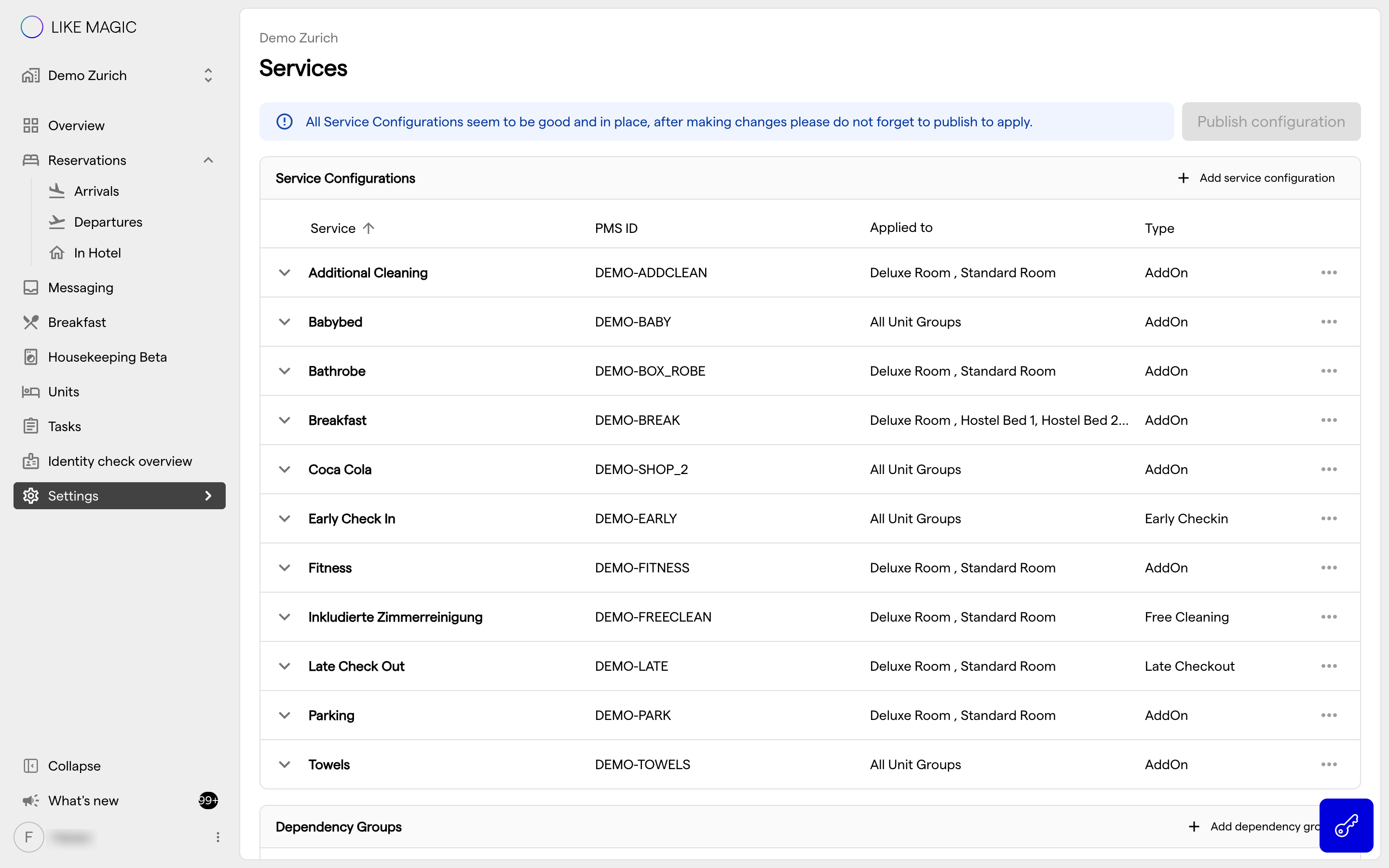
Each service in the catalogue carries a rich set of fields, around thirty per service, so you can model exactly how it sells:
- Price: the amount charged, and how it is calculated.
- Availability: when and to whom the service is offered.
- Tax: the tax treatment applied to the service.
- Plus the descriptive and behavioural settings that define the service.
You maintain the full list of sellable services here, adding, editing, and removing them per property.
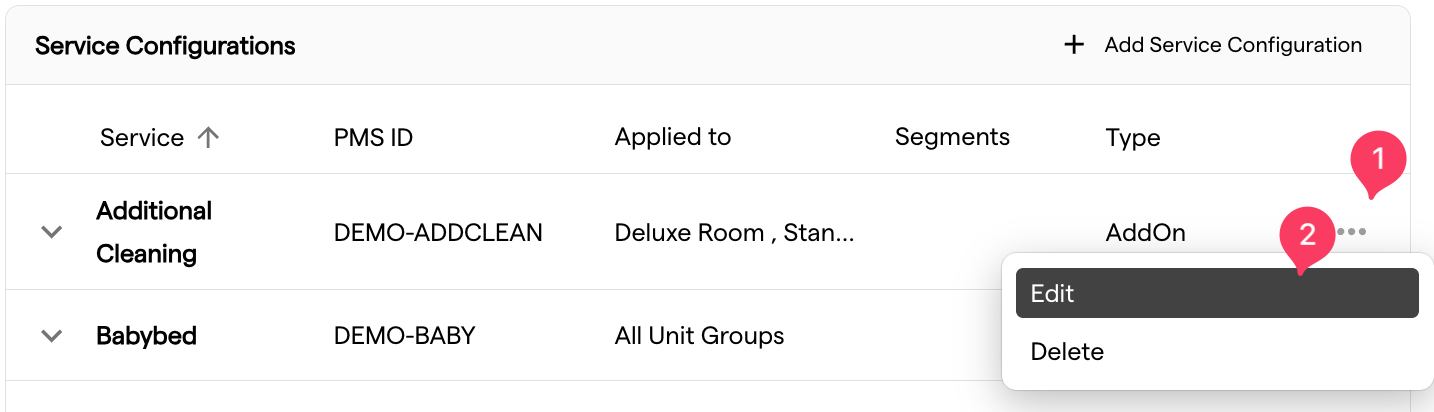
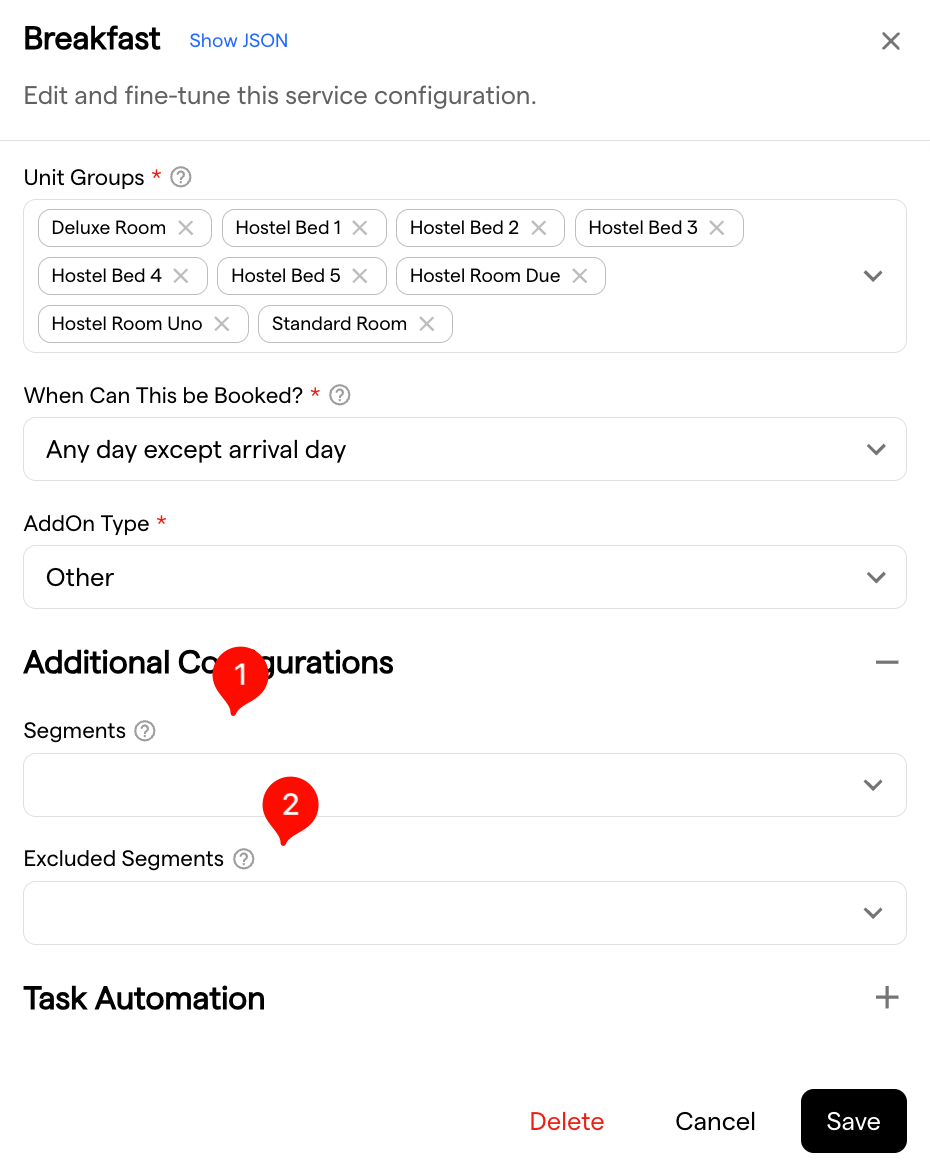
Two of the availability fields narrow the service to a group of guests rather than to a date:
- Segments: the service is offered only when the reservation carries at least one of these guest segments. Leave the field empty to offer it to every guest.
- Excluded Segments: the service is never offered when the reservation carries one of these segments.
The Services table shows those segments as chips per service, so you see the targeting without opening each entry. Where a code no longer has a published rule behind it, the chip is flagged rather than dropped, which is the signal to clean the service up. See Guest Segmentation for how the codes are defined.
ℹ️ Segment targeting decides what the guest is offered and may book. Bookings your team makes in the Operations Platform are exempt, so staff can always add the service on the guest's behalf.
4. Dependencies & Default Services
Beyond individual services, the catalogue supports:
- Dependency Groups: services grouped together cannot be booked for the same time period, so a guest cannot end up with two conflicting extras.
- Default Services: services booked automatically for the unit groups you choose, without the guest adding them. The section appears on Mews properties only.
Use dependency groups to prevent invalid combinations, and default services for anything every guest should get.
5. Content & Presentation
The descriptive content a guest sees for a service (its imagery and detail copy) is authored as content (in the CMS). Keep the catalogue configuration (price, availability, tax) and the content (descriptions, images) in step so guests see accurate, well-presented services.
6. Approval-Flow Services
Some services are subject to availability and need staff approval before they are confirmed and payable. That sub-flow (how guests request them and how staff approve or decline) is documented separately in Services on Approval. Configure such services in the same catalogue; the approval behaviour is a property of the service.
7. Related Configuration
- Services on Approval: the staff-approval sub-flow.
- Configure the Check-In Flow: where services appear during check-in.
- Guest Segmentation: the segment rules the Segments and Excluded Segments fields refer to.
8. Conclusion
The services catalogue is where you define every extra a guest can book (price, availability, tax, dependencies, and defaults) per property. Those services surface in My Stay, on their own detail pages, and as a step in check-in. Content lives in the CMS; services that need sign-off use the approval flow.