Services Catalog & Approval Flow
The services catalog is how you present bookable extras to guests during their stay. Some services confirm instantly; others require staff review before they are confirmed. This article covers that approval sub-flow specifically: the difference between auto-approved and approval-required services, and how the approval flow works for staff and guests. For configuring the catalog itself (price, availability, tax, dependencies, who can edit it), see Additional Services & Services Catalogue.
This article is written for the administrator who configures the services catalog, and for staff who handle approval requests.
Introduction
Some services are subject to availability and therefore require approval from the host team before they can be confirmed.
- Booking by the Guest
Guests can book services that require approval (Approval Flow Services) on the same page as all other additional services.
Important: These services are only payable after they have been approved by the host.
- How to Recognize an Approval Flow Service
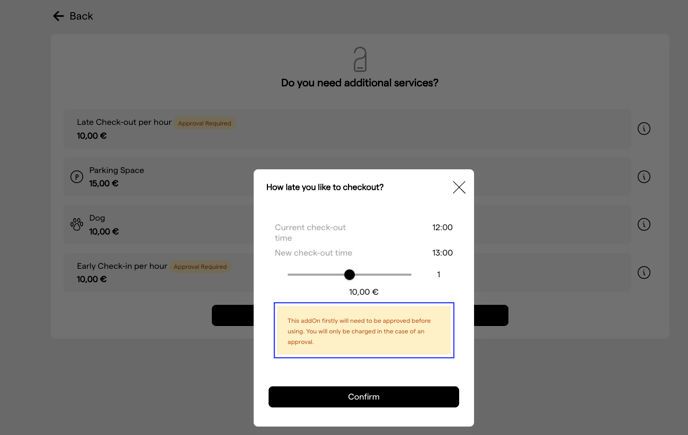
Services requiring approval are marked with a yellow label next to the service name.
In addition, a message indicating that approval is required is shown in the service modal.
- Approve or Decline
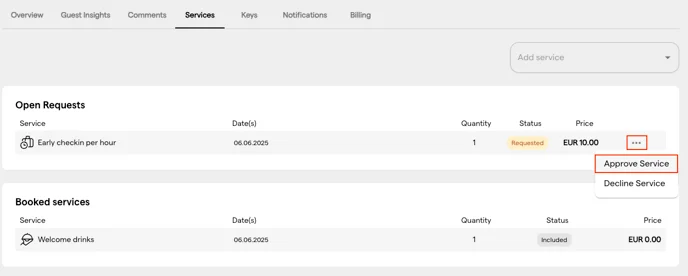
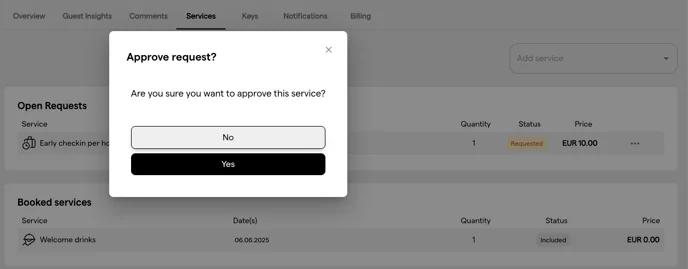
After checking availability, staff can approve or decline a service via the three-dot menu next to the service price.
Configuring the Services Catalog
Approval mode is a setting on each service in the services catalog, configured in the same Settings → Services screen covered in Additional Services & Services Catalogue: see that article for who can edit the catalog and its other fields.
Auto-Approved vs. Approval-Required Services
Every service in the catalog belongs to one of two approval modes:
| Mode | How it works | When to use |
|---|---|---|
| Auto-approved | The guest books and the service is confirmed immediately, no staff action needed. | Services that are always available and require no capacity check - welcome drinks, early check-in (if unconditional), digital extras. |
| Approval-required | The guest requests the service; staff review and approve or decline before confirmation. | Services subject to availability or capacity - specific room upgrades, late check-out, bike hire, spa bookings. |
An approval-required booking also creates a task in the Operations Platform where the Property has the approval task template set up, so the request shows up in your team's queue; staff approve or decline it on the reservation (section Staff Perspective).
Guests Perspective
Guests can recognize these services by the yellow label after the service name:

Additionally the guest is informed about the needed approval within the service modal:
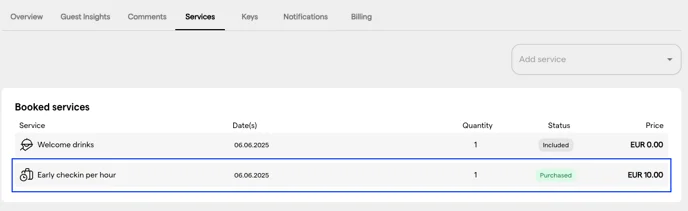
The guest now sees the requested service in the “Booked Services” overview in My Stay:

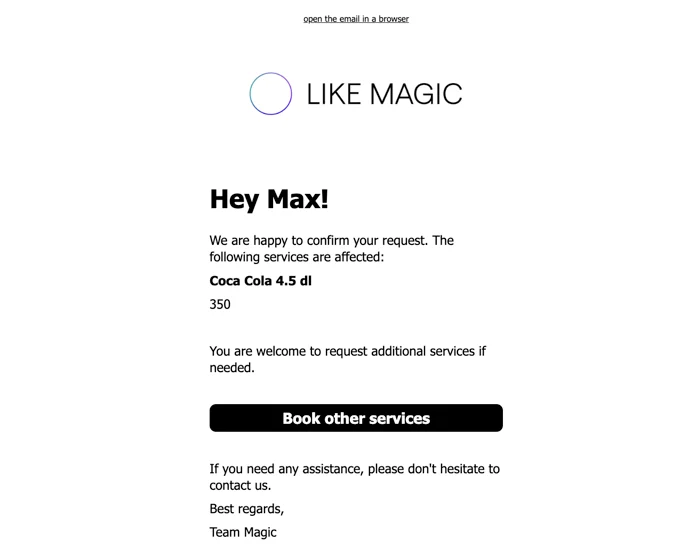
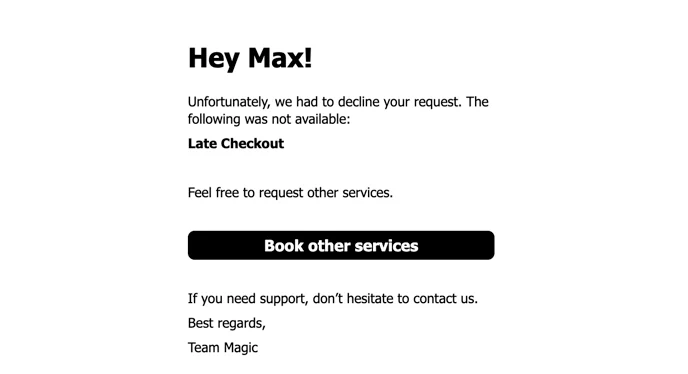
If a response is received, a message is sent informing the guest of the status.
This is how a positive notification looks like:
This is how a negative notification looks like:
Staff Perspective
As the guest requests the service, a Task will be generated automatically:

This time-sensitive information is also visible to staff in the Reservations List so they can respond promptly:
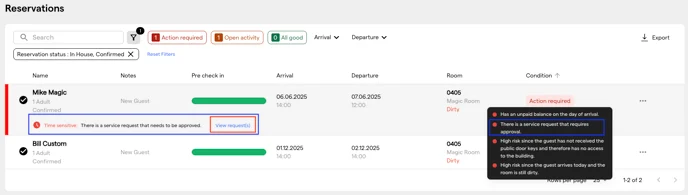
After clicking on “View requests”, the detailed overview appears:
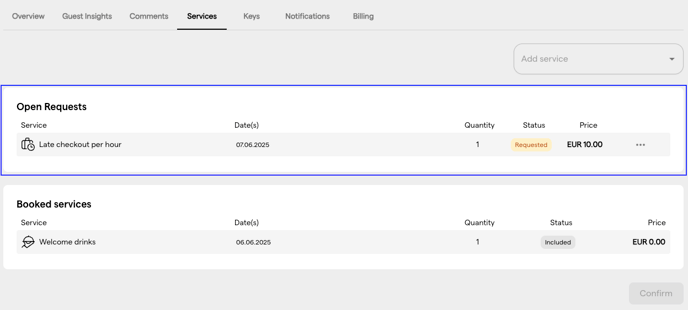
By clicking on the three menu dots next to the price within the concerned service, a host can approve or decline the service after checking availability.
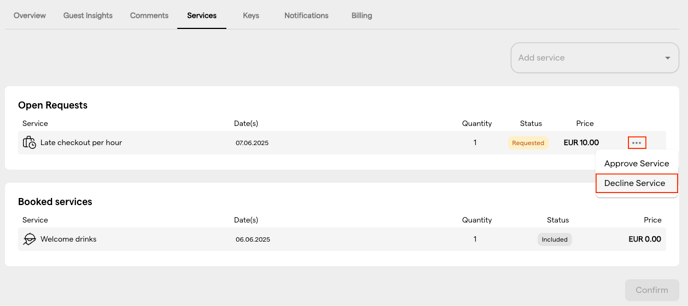
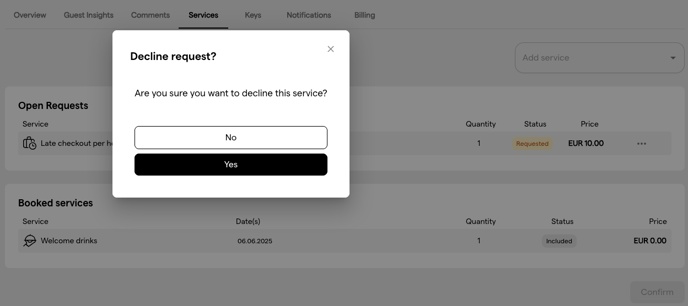
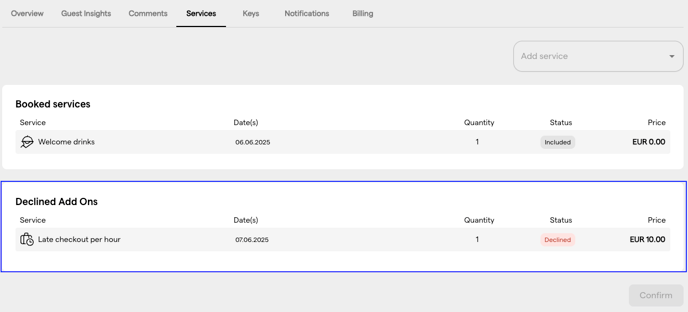
❌ Declining a Service
If a service is declined:
- The service will be marked as declined in the request overview.
- The guest will be notified through their preferred communication channel (assuming guest notifications have been set up accordingly).
✅ Approving a Service
Once a service is approved:
- The service status is updated to approved.
- A guest notification is sent via the guest's preferred communication channel.
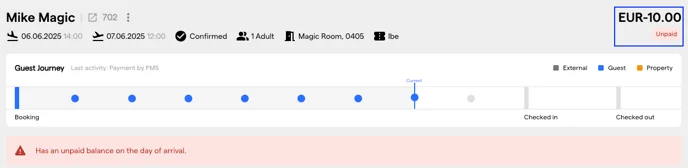
- The host is responsible for proactively collecting payment from the guest, e.g. through a payment terminal at the reception or by providing a payment link. Helpful to know: The guest also has now an open folio and can pay within the Digital Guest Portal.
Conclusion
The approval flow lets staff check availability before a service is confirmed. Guests request the services you configured for approval, staff approve or decline them from the request overview, and the guest is notified either way.
Once a service is approved, the payment has to be collected proactively, on site or through the guest journey.
Related articles:
- Additional Services & Services Catalogue: configure the full services catalogue that approval-flow services belong to.